HS200P Beginner Drone for Teens with Screen Remote


HOLY STONE HS200P · BEGINNER CAMERA DRONE FOR TEENS

No Phone
Needed.
Just Fly.

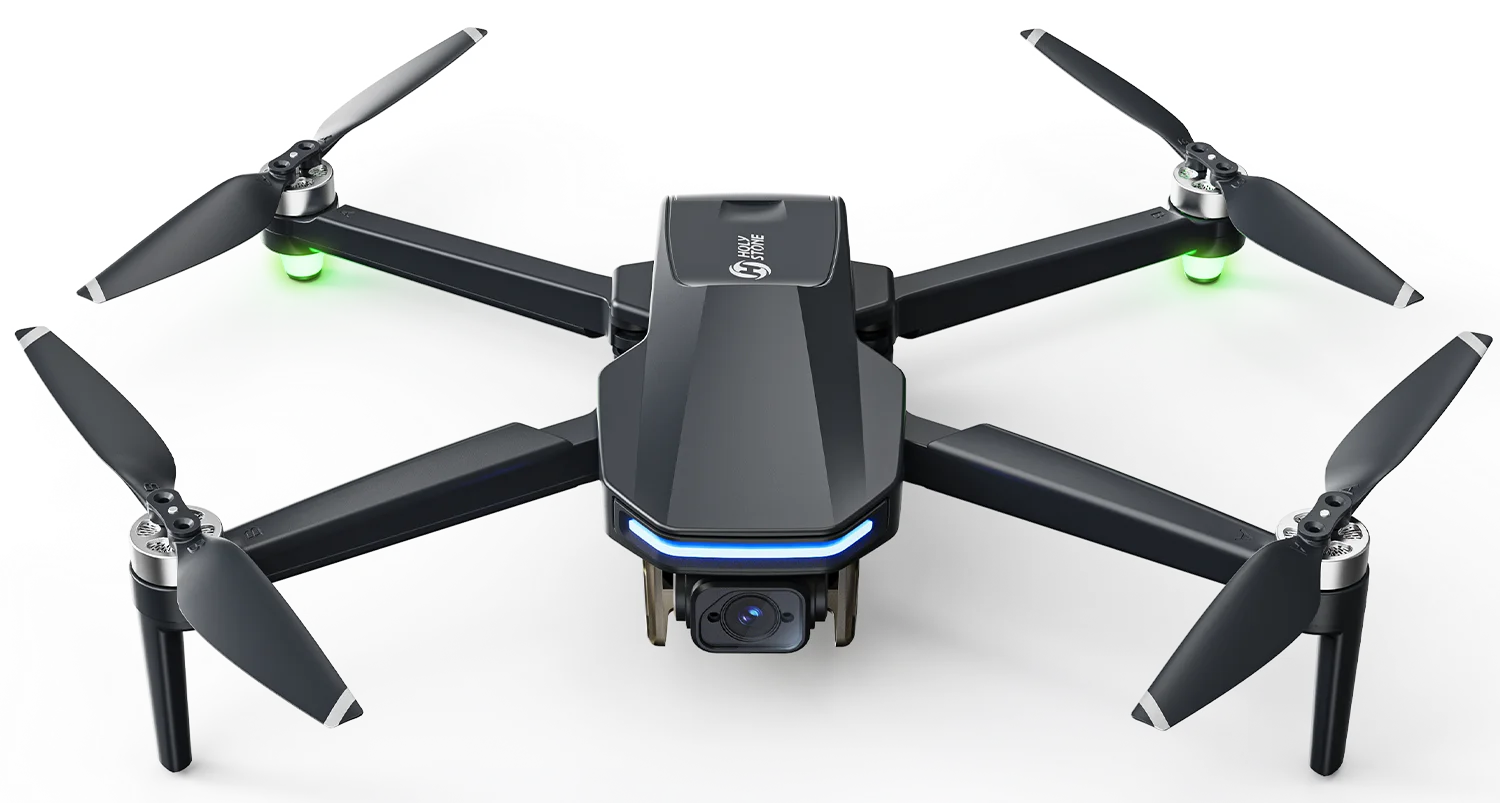
The HS200P is a beginner camera drone designed for teens and backyard adventures. Its built-in 4.3-inch screen remote lets kids enjoy a live camera view without needing a smartphone or app for everyday flying.

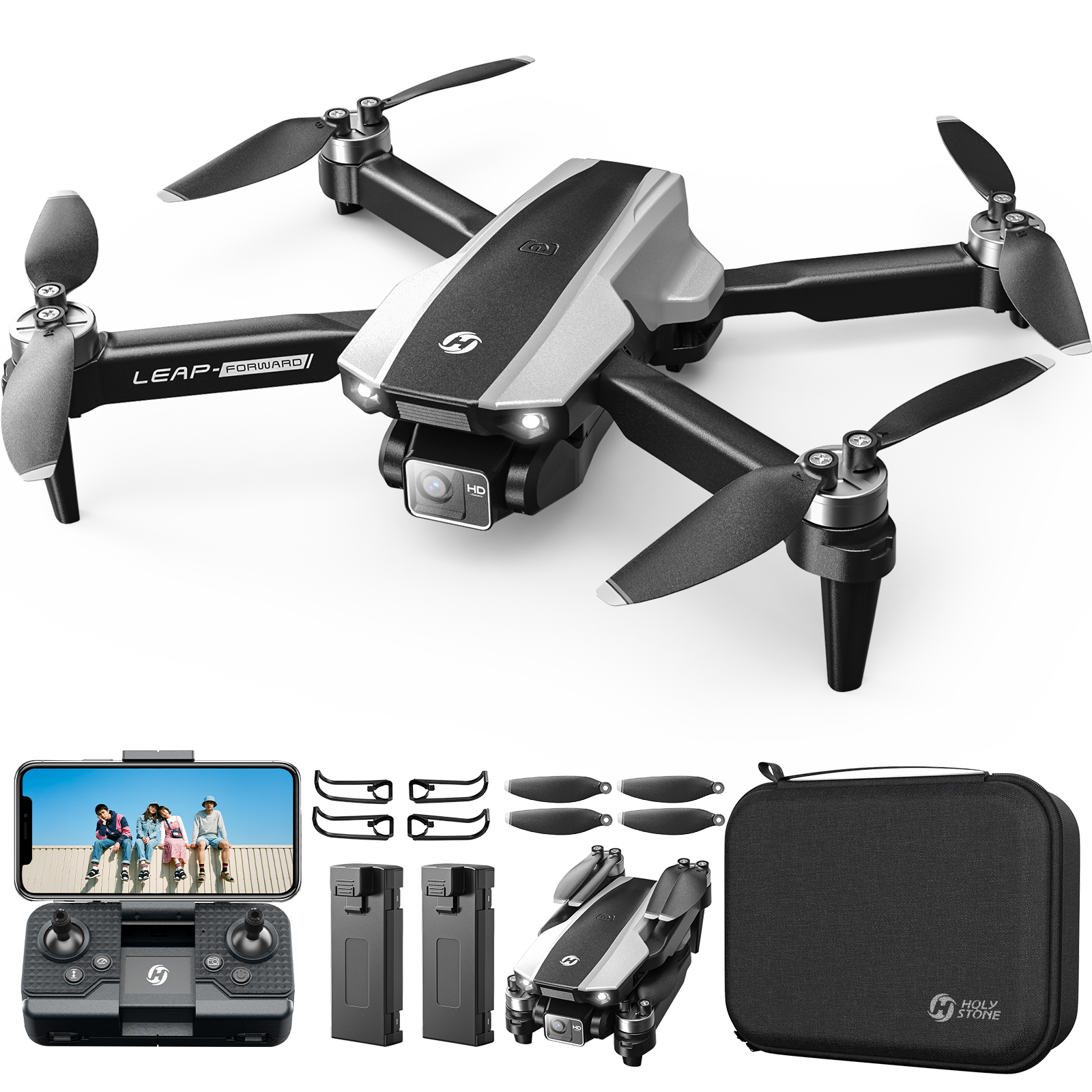
Holy Stone HS200P beginner camera drone with 4.3-inch screen remote, two batteries and carrying case
4.3″ Screen Remote
Live view, no phone needed
Brushless Motors
Efficient power delivery
1080P HD Camera
Capture everyday moments
28 Min Up to · 2 Batteries
Combined flight time
01 / BUILT-IN SCREEN REMOTE

Their First Drone.
No Extra Phone.

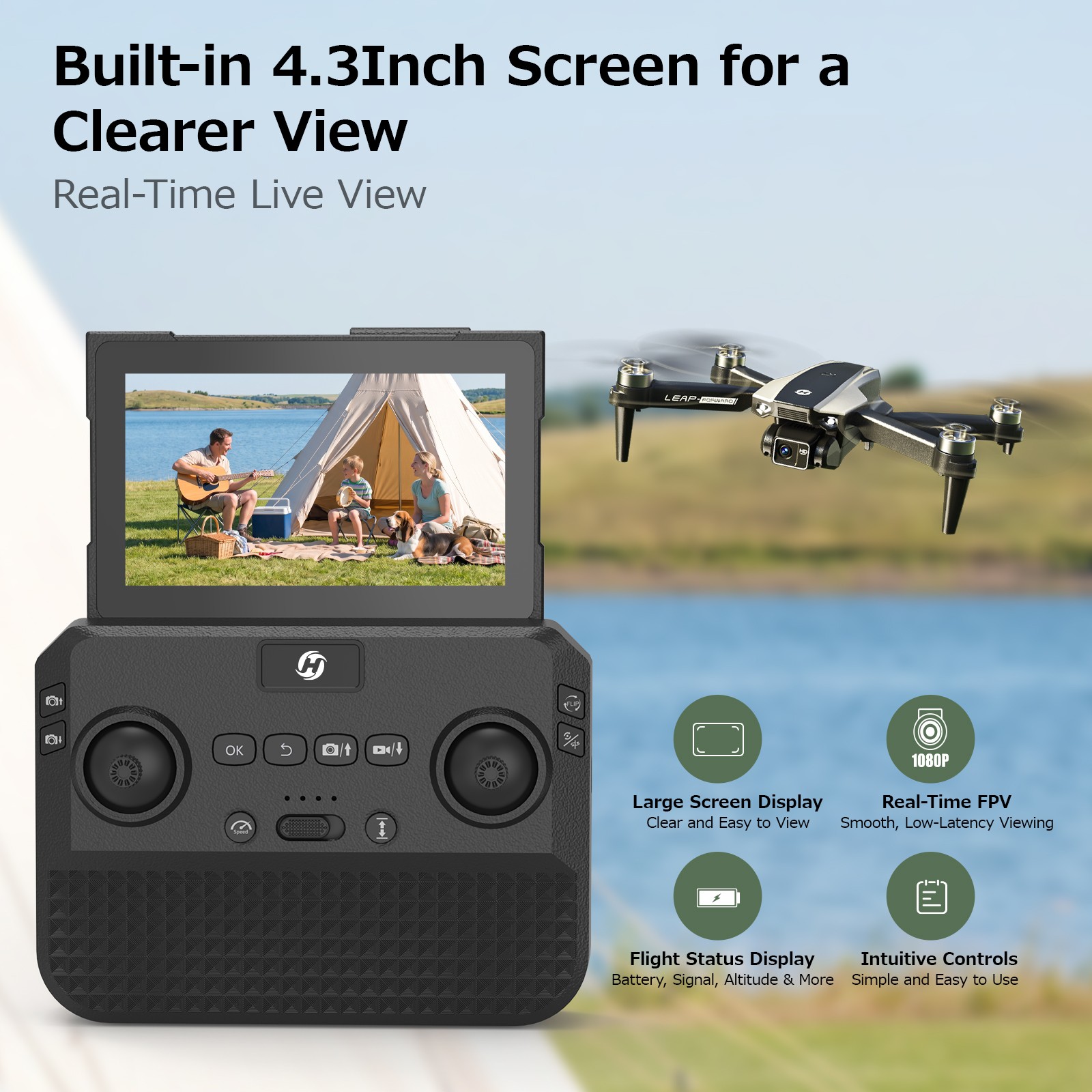
Kids can see what their drone sees right on the included 4.3-inch screen remote. Parents don't need to lend them a smartphone or download an app just for everyday flying and live view.

Holy Stone HS200P with built-in 4.3-inch screen remote showing a live camera view
YOUR VIEW. RIGHT IN YOUR HANDS.

One Remote. More
Freedom to Explore.

Instead of attaching a separate phone to the controller, the screen is already part of the HS200P flying setup. Switch on, follow the remote pairing instructions, and enjoy the camera view where you're controlling the drone.

Built-in 4.3″ Screen Live Camera View Everyday Flying Without a Phone
The included screen supports normal flight and live view. Optional smartphone-only functions are not part of the advertised experience.
01No Extra Smartphone

No need to buy or hand over a phone just to let your child see the live view.

02No App Setup for Everyday Flight

For normal flying, the included display removes the smartphone app step.

03See & Fly Together

A screen built into the remote makes it easier to share the moment while learning.

02 / OPTICAL FLOW EXPLAINED

A Little Help Staying Steady.

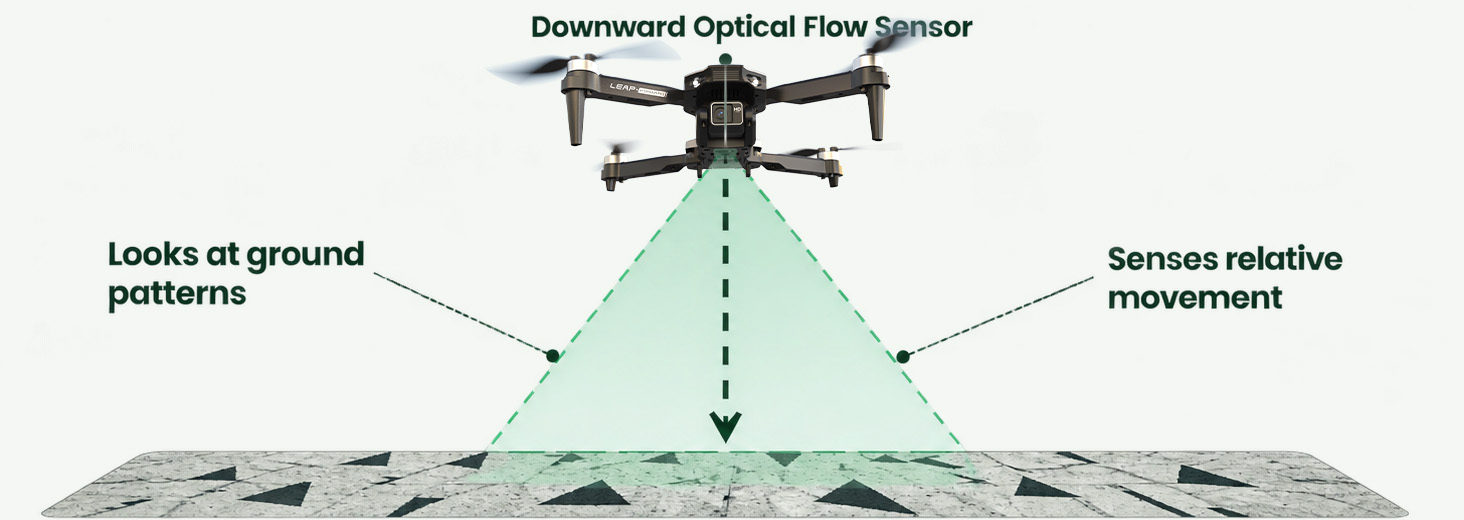
What is optical flow? Think of it as an extra set of eyes looking down at the ground, helping the drone sense how it moves and assist with hovering.

Optical Flow.jpg
STEP 01Observe

The downward-looking system detects visual patterns on the ground.

STEP 02Sense

As the patterns shift, the drone estimates relative horizontal movement.

STEP 03Assist

That information helps its flight controller reduce drift during suitable low-altitude hovering.

Good to know: Optical flow is hover assistance, not GPS positioning or obstacle avoidance. It works best with adequate light, visible ground texture and suitable flying conditions; smooth, reflective or dark surfaces and wind can reduce its effectiveness.
Want to know when optical flow works best? Read the Complete Optical Flow Guide →
03 / THE FIRST FLIGHT

Start Simple. Grow Your Skills.

Friendly controls help beginners focus on the fun of learning, one flight at a time.

HS200P easy flight functions for beginner teen pilots

From First Takeoff to
Confident Turns.

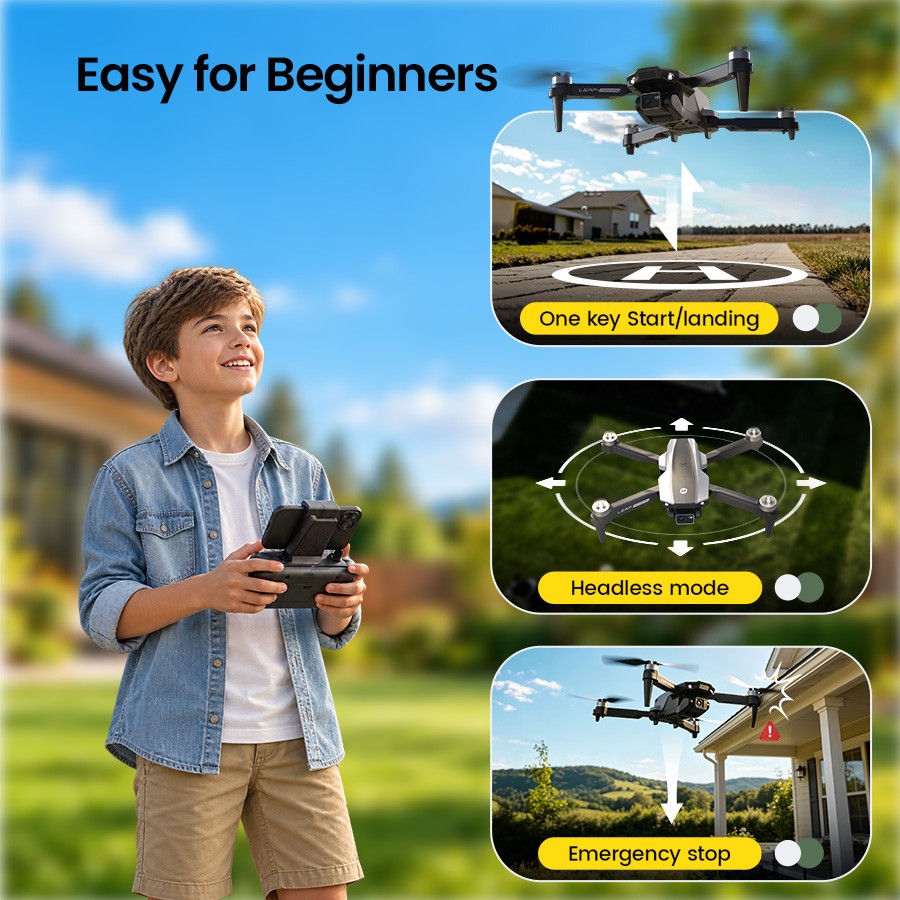
Use one-key takeoff and landing to simplify the first step. Altitude hold helps manage height, headless mode can help with orientation practice, and three speed settings let new pilots build their skills gradually.

One-Key Takeoff / Landing Altitude Hold Headless Mode 3 Speed Modes
For parents: Start in a safe open area, stay within sight and supervise young pilots. Always check the product age guidance.
04 / BRUSHLESS MOTORS

Small Drone.
Smoother Power.

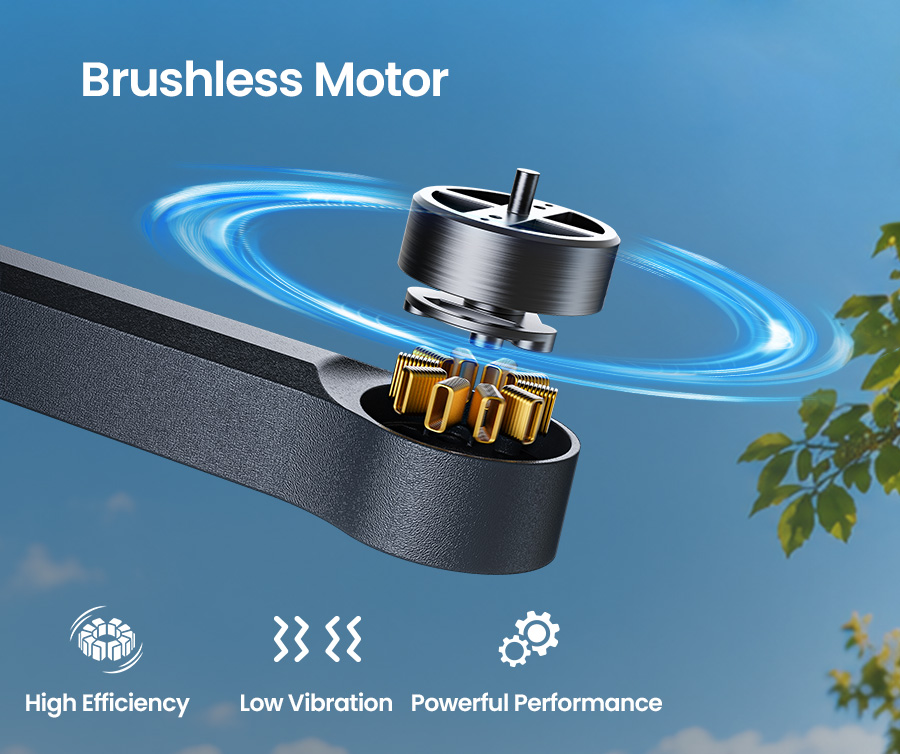
The HS200P uses brushless motors to deliver efficient, responsive power for takeoffs, turns and everyday flying practice. With no motor brushes to wear down, they also help reduce brush-related wear over time.

Efficient Power Responsive Control Less Brush Wear

Actual flight performance depends on flying conditions and use.

HS200P_Brushless_Motors1.jpg
05 / CAPTURE THE FUN

Small Drone. Real Memories.

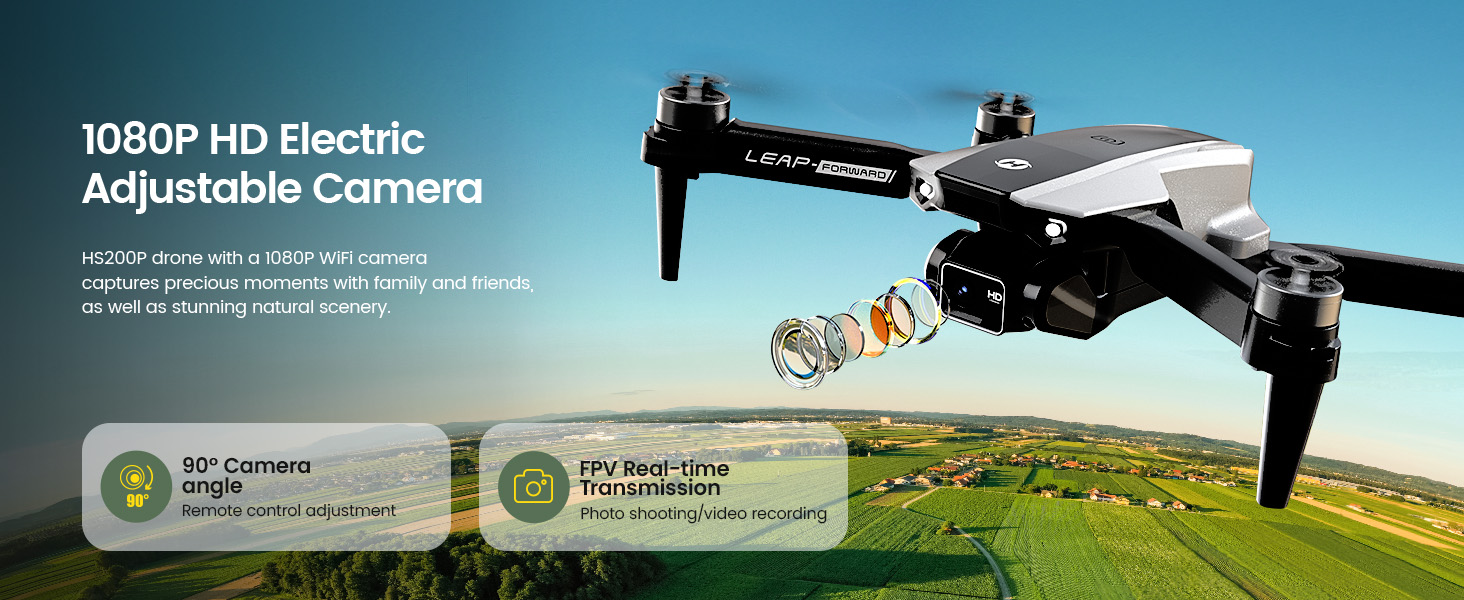
Capture 1080P video and enjoy a real-time camera view on the remote. Adjust the camera angle up to approximately 90° to explore different perspectives as you learn.

HS200P_1080P_HD_FPV_Camera1.jpg
06 / FUN BUILT IN

Every Flight Can Feel Different.

Learn the basics, then explore fun flying moves as your confidence grows.

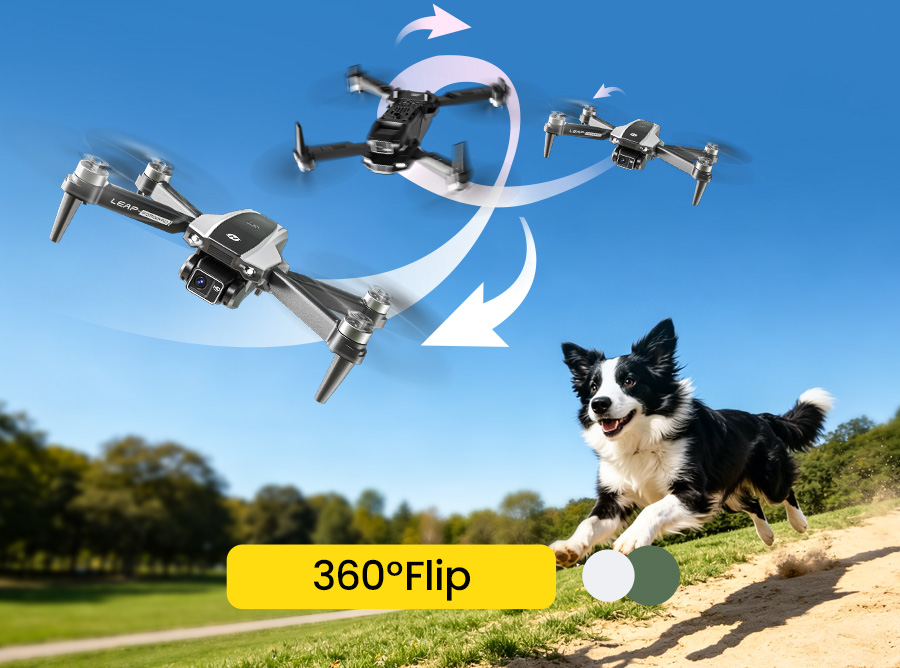
Holy Stone HS200P performing a 360-degree flip in an open outdoor area

360° Flip

Make flight practice more exciting with a playful aerial flip.

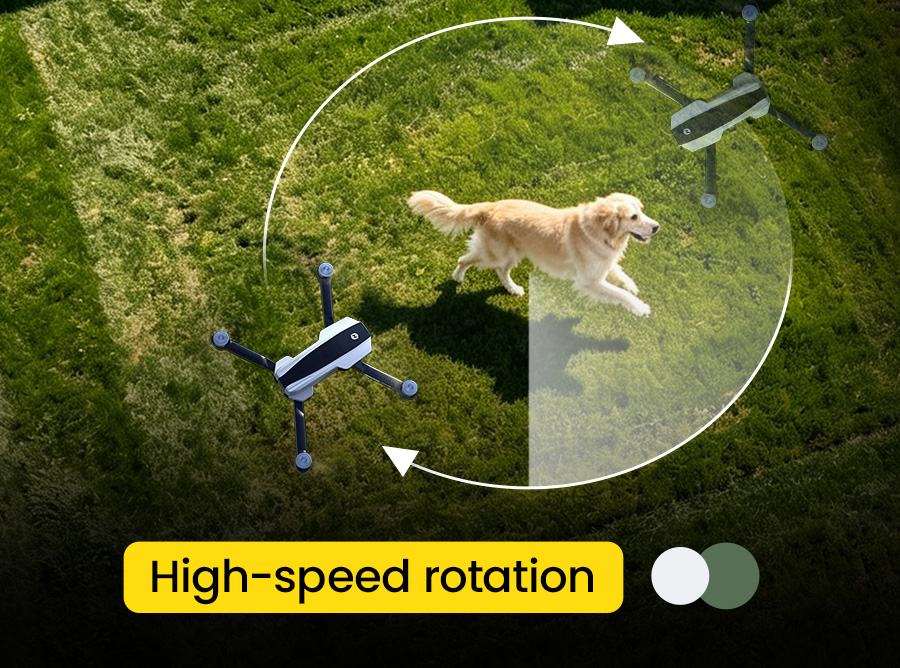
Holy Stone HS200P demonstrating a circular flight path outdoors

Circle Fly

Explore a circular flight path while building confidence with the controls.

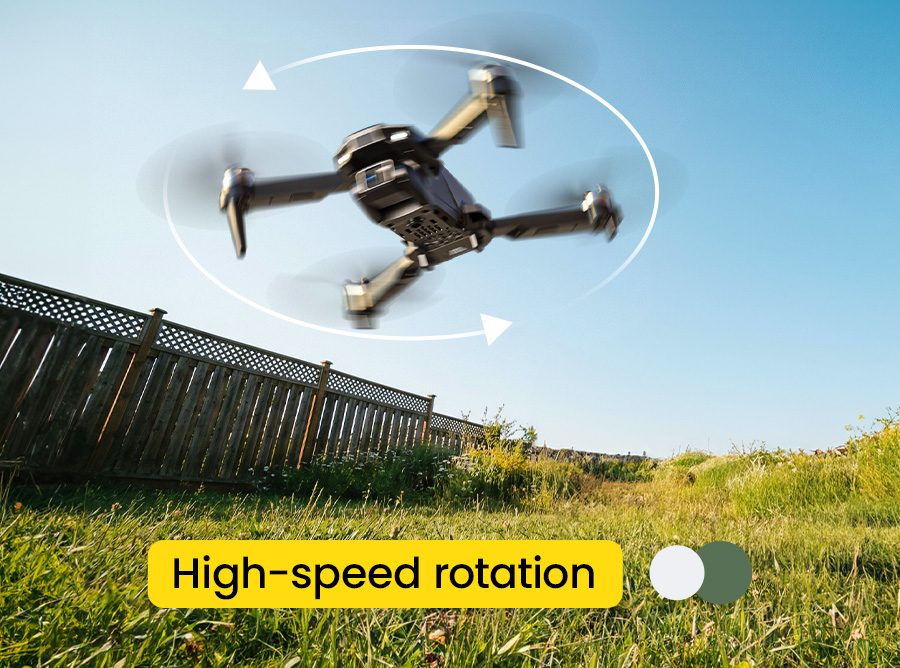
Holy Stone HS200P demonstrating high-speed rotation outdoors

High-Speed Rotation

Add a fun spinning move to outdoor flying sessions as your skills develop.

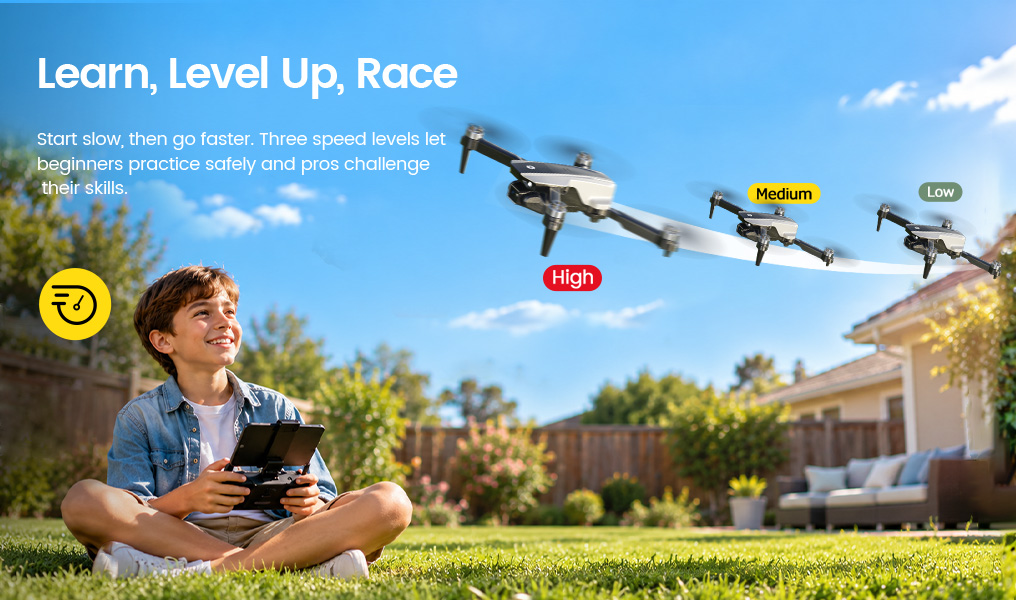
THREE SPEED SETTINGS

Three Speed Switch.
Grow at Your Own Pace.

Start at a comfortable pace while learning the controls, then try faster settings as confidence grows. Three speed options give teen pilots room to practise and progress.

Three Speed Switch.jpg
Dual Battery 拷贝.jpg
07 / MORE TIME OUTDOORS

More Time to Enjoy Each Flight.

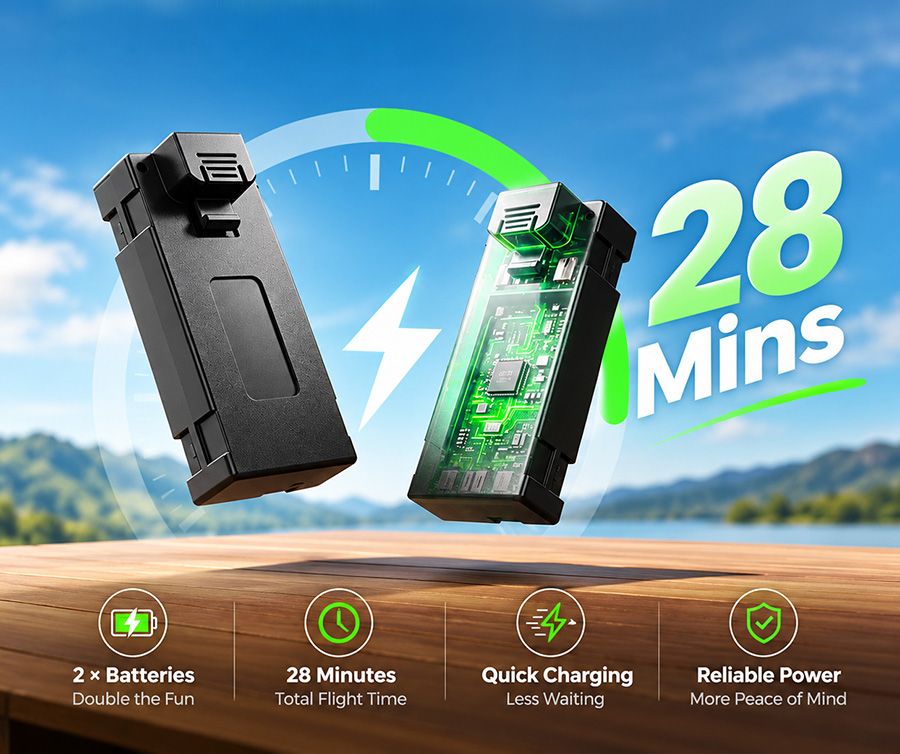
Two included flight batteries provide up to 28 minutes of total flight time combined—more opportunities to practise, explore and play.

Up to approximately 14 minutes per battery in windless conditions. Actual flight time varies with use and conditions.

08 / READY TO EXPLORE

Compact. Foldable.
Ready to Go.

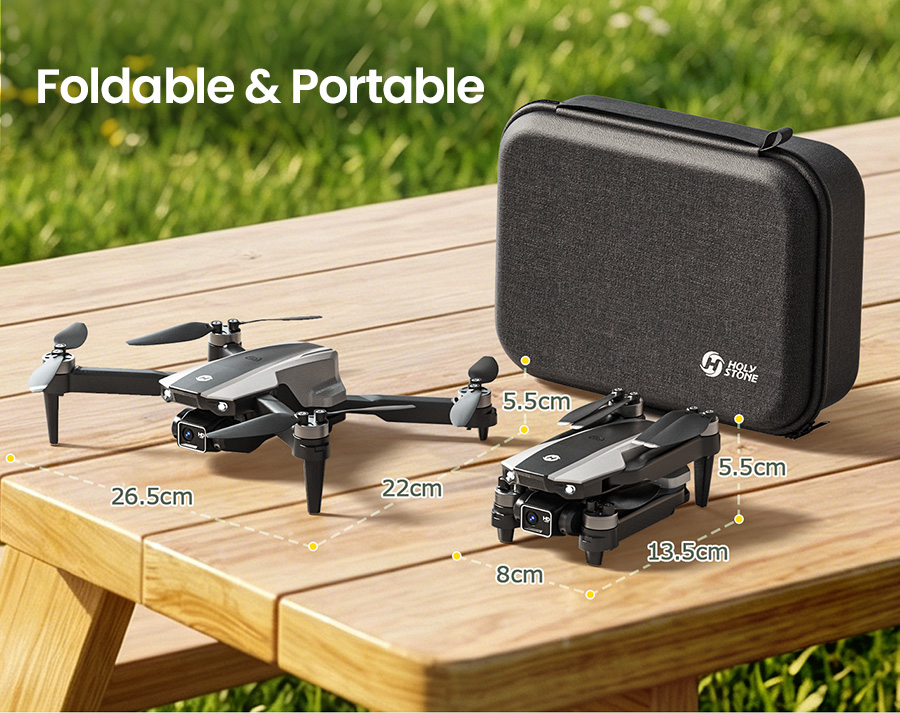
At approximately 143 g, HS200P is simple to pack for family outings, with a foldable design and carrying case for convenient storage.

Foldable and Portable 拷贝 2.jpg
HOLY STONE HS200P

Ready for Their First Flight?

No extra phone for everyday flying. A live view right in their hands, steady-hover assistance and more ways to have fun outdoors.

HS200P Beginner Drone for Teens with Screen Remote SPECS

DRONE

Model:
HS200P
Weight:
143g / 5oz
Max Flight Height:
98ft / 30m
Max Flight Time:
14 minutes per battery (in a windless environment)
Total Flight Time:
Up to 28 minutes with 2 batteries
Motor Model:
1503
Operating Temperature Range:
32°F to 104°F (0°C to 40°C)
Dimensions (Unfolded):
265 × 220 × 55mm
Dimensions (Folded):
135 × 80 × 55mm

DRONE BATTERY

Capacity:
900mAh
Voltage:
3.7V
Battery Type:
Lithium-ion Polymer Battery
Charging Temperature Range:
41°F to 104°F (5°C to 40°C)
Charging Time:
About 90 minutes (depending on charging power and remaining battery level)

TRANSMITTER

Operating Frequency:
2452–2474MHz
Max Flight Distance:
262ft / 80m (outdoors and unobstructed)
Operating Temperature Range:
32°F to 104°F (0°C to 40°C)
Battery Type:
3 × 1.5V AA batteries (not included)
Display:
Built-in 4.3-inch screen

CAMERA

Operating Frequency:
5745–5825MHz
Photo Resolution:
1920 × 1080P
Video Resolution:
1920 × 1080P@20fps
Transmission Distance:
262ft / 80m (outdoors and unobstructed)
Photo Format:
JPEG
Video Formats:
AVI / MP4

USB CHARGING CABLE

Input:
5V / 2A
Rated Power:
≤10W
HS200P Beginner Drone for Teens with Screen Remote IN THE BOX
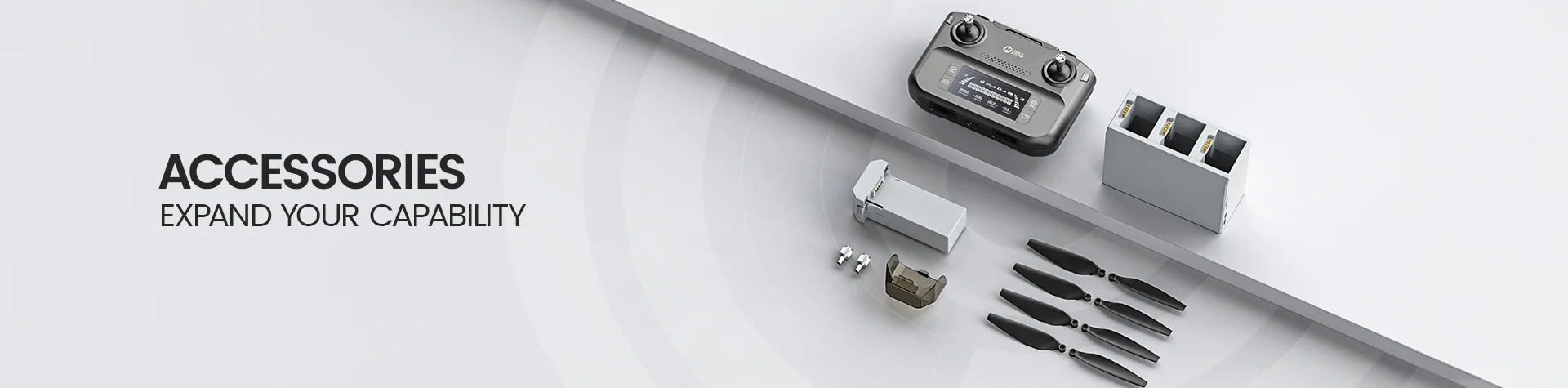
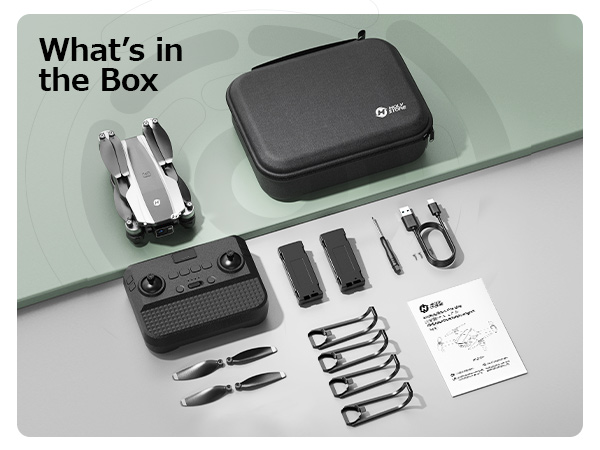
Holy Stone HS200P drone package contents with screen remote, two batteries and carrying case

*Accessories configuration may vary depending on the purchase channel. Please refer to the actual product package on the purchasing platform for final confirmation*

Package Contents


HS200P Drone × 1

Screen Remote Controller × 1

Drone Battery × 2

Spare Propellers × 4

Propeller Guards × 4

Carrying Case × 1

USB Charging Cable × 1

Screwdriver × 1

Screws × 4

User Manual × 1

HS200P Beginner Drone for Teens with Screen Remote DOWNLOAD

HS200P with 4.3" Screen Remote

Fly and view live camera footage directly on the included screen remote. No smartphone or app is required for everyday flying and live viewing. The HS FPV V6 app is also available for supported smartphone-based features.

Download User Manual (4.3" Screen Version)


HS200P without Screen Remote

This version requires the HS FPV V6 app for live camera viewing on your smartphone. Download the app and follow the user manual for setup and connection instructions.

Download User Manual (Standard Remote Version)


HS FPV V6 App

Download the app for smartphone FPV viewing and supported app-based features.

Download for Android | Download for iOS

HS200P Beginner Drone for Teens with Screen Remote FAQ
Troubleshooting · HS200P (4.3" Screen Remote)
  • Does the Holy Stone HS200P with a 4.3-inch screen remote need a phone or app?

    No. The HS200P 4.3-inch screen version can fly and show live camera footage on its included remote without a smartphone or app. Power on the drone and screen remote, then follow the pairing procedure in the user manual.

    App-dependent features may require a compatible smartphone and a different setup. The HS200P version without a built-in screen uses a different live-view workflow; check which version you own.

  • Why is the HS200P screen remote on but not showing a camera image?

    Allow approximately 20–30 seconds after turning on the screen for the live image to appear, as noted in the HS200P 4.3-inch display manual.

    If the screen remains blank, check the remote battery, verify that the drone is powered on and paired, then restart both devices and repeat pairing in a clear area. If the problem persists, consult the screen-remote manual or Holy Stone support.

  • How do I pair the HS200P drone with its 4.3-inch display remote?

    Place the drone on a flat, level surface, nose forward and tail toward the pilot. Long-press the drone power switch; its indicator flashes. Then turn on the screen remote.

    When paired successfully, the remote beeps and the drone and remote indicator lights become steady. If pairing fails, check battery levels and repeat the sequence away from sources of radio interference.

  • How do I calibrate the HS200P gyroscope and unlock the motors?

    After pairing, keep the drone level and move both joysticks to their bottom-right corners at the same time. The drone lights blink during gyro calibration and turn steady when it finishes.

    To unlock the motors, move the left joystick bottom-right and right joystick bottom-left simultaneously. The manual recommends recalibrating after pairing and after a crash.

    Safety: Keep hands, hair and objects clear of the propellers while arming the motors.

  • How do I use one-key takeoff, landing and emergency stop on HS200P?

    Short-press the Takeoff/Landing button to take off and hover at about 5 ft (1.5 m), then short-press it again during flight for automatic landing.

    Long-press the same button only in an emergency. Emergency Stop immediately stops the motors and the drone will fall; it is not a normal landing method. Use only where necessary to prevent greater danger.

  • How do I take photos, record videos and adjust the HS200P camera angle?

    On the 4.3-inch screen remote , use the dedicated photo and video controls shown in its manual. Short-press the photo button to take a picture; short-press the video button to start or stop recording.

    Use the two camera-angle controls to tilt the camera up or down through a stated 90° range . The actual recording format and available storage depend on the screen-remote setup; follow its TF-card instructions.

  • Why can’t I save or view photos and videos on the HS200P screen remote?

    Check that a compatible TF card is inserted in the screen remote. The 4.3-inch display manual directs users to insert a TF card to enable its photo/video recording and viewing functions.

    Briefly press OK to access the photo/video library. Select the photo or video icon, then press OK to open the file. If nothing appears, verify that recording completed and the card is seated correctly.

    Note: Formatting a TF card erases saved content. Back up files before using the remote’s format option.

  • Does HS200P have GPS, and what is optical flow positioning?

    HS200P is a non-GPS beginner drone. Its optical flow positioning system observes visual patterns on the ground to help reduce horizontal drift during suitable low-altitude hovering. Altitude Hold separately helps maintain flight height.

    Optical flow is not GPS, obstacle avoidance or a guarantee of stationary hovering . For a detailed explanation, see the Holy Stone Optical Flow Positioning Guide .

  • Why does my HS200P drift sideways even with optical flow and altitude hold?

    Drift can occur when the downward-facing sensor cannot reliably track the surface, or when wind and flight conditions affect the drone. Altitude Hold controls height, not horizontal position.

    Try a well-lit, calm, open area with visible ground texture. Avoid water, glossy floors, blank surfaces, moving grass and repeating patterns. The manual gives an optimal optical-flow height of approximately 1.6–9.8 ft (0.5–3 m) .

    If the drone still drifts, land safely, clean and inspect the downward sensor and propellers, recalibrate on level ground and follow the manual’s trim instructions. See the optical-flow limitations guide for examples.

  • How do I change the HS200P speed or turn on Headless Mode?

    Short-press the Speed button to switch between Low, Medium and High . The screen-remote manual describes one, two and three beeps for the three speed settings; Low is the default.

    Long-press the Headless Mode control to enter or exit Headless Mode. It simplifies direction practice but does not avoid obstacles or replace attentive flying.

  • How do I use 360° Flip, Circle Fly and High-Speed Rotation?

    360° Flip: In a clear area at a height of at least 10 ft, press the Flip control and move the right stick in the direction of the flip. A well-charged battery is recommended.

    Circle Fly: Press and hold the Circle Fly control for about 3 seconds to begin. Long-press it again or move the right joystick to exit.

    High-Speed Rotation: Briefly press its control to begin. Long-press the control again or move the right joystick to stop, as described in the display-remote manual.

    Practise basic flight first and keep clear of people, animals and obstacles.

  • How long does the HS200P drone battery last?

    HS200P provides up to 14 minutes per drone battery under windless test conditions. A package containing two batteries offers up to 28 minutes combined , across separate flights—not 28 minutes on one charge.

    Actual flight time varies with speed, maneuvers, wind, temperature and battery condition.

  • How long do the HS200P drone battery and display remote take to charge?

    The drone battery takes approximately 90 minutes to charge, while the 4.3-inch display remote takes approximately 120 minutes , according to the screen-remote manual.

    Use the included charging cable and a suitable 5V/2A USB power supply. The charging indicator is red during charging and turns off when charged. The display remote has a rechargeable battery; do not use battery instructions from other models.

    Allow batteries to cool before charging. Never charge a damaged battery or leave charging unattended.

  • Where should beginners fly HS200P, and what height should they stay below?

    Start in a clear, open space with calm weather and good light, and keep HS200P within visual line of sight. The manual lists a maximum flight height of 98 ft (30 m) , but safe and legal operating limits depend on your location.

    Avoid crowds, roads, airports, power lines, water and adverse weather. Optical-flow assistance works best at lower heights within the manual’s recommended conditions, and young pilots should follow product age guidance and adult-supervision recommendations.